Showing posts with label Hornet 365. Show all posts

Friday, July 10, 2020

Recap of New Services

This has been an exciting week for technology related services at Emporia State University! We've unveiled multiple new services that many of you can take advantage of. Find more information about each of the services below and how you can request more information.

Microsoft Bookings

Microsoft Bookings allows your customers (students, employees, public/guests) to schedule a time with you using a simple, mobile-friendly website.  You define the services, times, and the staff members you will assign with a plethora of different options to choose from.  Bookings will also give users the opportunity to have a unified location for scheduling campus appointments–addressing important usability feedback we receive from students. 

If you would like to meet with us to discuss how Bookings might work for you, please visit our own Bookings site to schedule an appointment. 


Hornet TV+

Hornet TV+ is the latest update that will be coming to digital signage across campus this Fall. This update will host a variety of feature updates. Some of these feature updates include...

  1. Motion Posters
  2. Campus Channel
  3. GO Links
  4. Hornet Calendar
  5. Showcasing Events
Learn more about all the amazing features we're introducing to Hornet TV+ in our video web series IT Only Takes a Minute!

Ready to get started? Welcome to Hornet TV+

Power Search

One of the challenges we encounter across all of the sites that make up the ESU web presence is that they are not all connected. This is due to a number of reasons--most of which are out of our control. It can often leave you looking for content on one site, when, in fact, it's located on another site. We are taking a step forward by introducing a new feature called Power Search!

This new search engine, using Google technology, will only index sites that we control--giving users one place to search all of ESU's web presence. When you need to search for something, give Power Search a try by browsing to search.emporia.edu


Virtual Events

We currently run two different types of virtual events; personal events (less than 30 attendees) and public events (more than 30 attendees + pre-registration + live streaming). We are also exploring a third type of event, hybrid events. If you are unsure about what event may be right for you, we offer an opportunity to meet virtually and discuss the right format for your event.

To learn more about this exciting new format and how you can create your own event head over to the Web + Digital Guide, located in Hornet 365. You can also watch our IT Only Takes a Minute video all about Virtual Events!

Friday, May 8, 2020

OnBase Document History - Where is my document?


Do you ever wonder where your document is?  Whose workflow queue is it in?  There are a couple of different ways to find out.

1.  When you document retrieve it, the "hitlist" generally lists a status that tells where the document is

2.  If you right click on a document in the queue, then click Workflow, Workflow Queues


You will see a window like this:

This is most helpful when the document status is "Wait Dept" and you don't know who it's waiting for.  If it's not in a workflow queue you have access to, you may see "restricted".  In this case use option 1 or 3.

3.  From the document in question, right click History, click the 2nd tab Workflow Queues.


Starting at the bottom you can see who created the form working your way up, you can see all of the workflow queues this document has been in, how long it was in each queue, and if there is no Exit User at the top, it is still in that queue.

For more extensive OnBase documentation, please follow this link.

Thursday, May 7, 2020

Hyland Virtual Print Driver (VPD)

For Departments that scan documents into OnBase, the Hyland Virtual Print Driver can be installed to work with Unity Client.  When an email or document needs imported, just "print" the document and select Hyland Virtual Print Driver as your printer.


After clicking print, an OnBase import panel will appear.  Enter the appropriate doc type and keywords, then click Import.


The document has been "printed" into OnBase, and if it was associated with a workflow, that process is initiated.

VPD is not applicable for attachments on Unity Forms.  And for enhanced error checking and less typing, the preferred method for invoices is to use the Unity form called AP – Invoice Import Form.
 
VPD saves the documents as images.  Image documents can have pages appended, removed or split, and have the ability for markups.  If the document should be retained as a PDF or Word document, don't use VPD.

If you don't see the Hyland Virtual Print Driver option when you print, please call the helpdesk to have it installed, or you can install it from the link at the middle of https://www.emporia.edu/onbase.

For more extensive OnBase documentation, please follow this link.

Wednesday, May 6, 2020

OnBase Unity Client

OnBase Unity Client can be downloaded and installed (only when using Internet Explorer) by clicking the link at the bottom of https://www.emporia.edu/onbase, or this direct link.

Advantages of using Unity Client:

  • It is open until you exit.  The session doesn't die after 25 minutes like the web client.  You won't lose your work when you are distracted by phone calls or lunch.
  • It's designed like Microsoft Office with a ribbon at the top.
  • If scanning documents, you can "acquire" directly from the scanner without first saving to your computer.


  • You can use the Hyland Virtual Print Driver to "print" a document into OnBase.
  • You can have multiple windows open at one time (Document Retrieval, Workflow, New Form…).  Click File, Open in New Window.
  • Not available for Macs, but Mac users can use it via the SkyLab Employee Desktop.


For more extensive OnBase documentation, please follow this link.

Friday, May 1, 2020

Website Updates

Emporia.edu homepage screenshotThe Emporia State University website has come a long way since the launch of the new site in late October. We are constantly looking for improvements to implement based on usability information, analytics and feedback from our users.

One of the biggest issues with websites, and web content, nowadays is accessibility. We have been focused on updating our website to make it accessible to all users, no matter their device or browser. We are proud to say that our website is currently ranked #1, in terms of accessibility, in the state of Kansas by an external reviewer. We have updated all images to include alternative text, added metadata to each page so search engines can better optimize which pages display, icons displaying an error, and more.

Another hot topic would be the user experience, or feel, of our website. We have made nine site-wide updates to make navigation through our site as natural as possible. In addition to site-wide updates, we have completed over 800 feedback requests from our 77 departmental WebDACs. We work closely with our departmental WebDACs to ensure that each department's content is correct, updated, and fresh. We have recently created a new WebDAC Portal that allows for more feedback from our web team to WebDACs and allows for better tracking per request. Before the web team moved to work remotely due to COVID-19, we had been scheduling weekly meetings with various WebDACs to receive feedback and run through their pages together. We will soon start this back up again as time allows.

In addition to being highly involved with our WebDACs, we are also working towards expanding our involvement with faculty, staff, and students! Faculty and student focused meetings are taking place to receive more feedback on the website, not just from our internal web team and WebDACs. We want to have a website where all entities of the university are comfortable, and happy, using!

Check out a list of the site-wide updates that we’ve made, and updates that are on our radar for the future, on our Web + Digital Guide! You can also learn more about our WebDAC program, and find a list of WebDACs, on our WebDAC page.

Sam Derksen
Web Developer
Web and Digital Strategies

Friday, April 10, 2020

Emporia State University Student Billing on Hornet 365!

Person holding an iPad


Here at Emporia State University, we provide you with a 24/7 online student account center for fee payments, this can be accessed through your university portal, Hornet365!

The Financial Center give you access:

As an authorized users (parents/guardians/spouse) can log in here. 
To additional forms, by visiting the student form central page.


The Student Account Center is your one stop shop to: 

Check your student balance Get an itemized breakdown by semester, from the time you’ve been here. 


Make a payment towards your balance.  
Pay using major credit cards (VISA, MasterCard, Discover, American Express). 
Pay using an electronic check, all you would need is your bank account and routing number. This option does not have any extra convenience fees. 


Enroll in a payment plan 

View your payment history Print it out or export it as an excel or pdf file. 

Store your payment methods securely for quick and easy payment 

Provide permission to others (parents, guardians, etc.)  This way authorized users can view your bill, view your 1098-T tax statement and make payments. 


Direct deposit your excess funds into any US bank account 
You must complete the direct deposit authorization form online, and activate two-factor authentication, prior to the processing of excess funds. 


Got more questions? Find out more at emporia.edu/studentbilling
Ready to pay your fees? Get started at hornet365.com


Saandhyarag Sasidhar
Web and Media Specialist
Web and Digital Strategies

Tuesday, March 17, 2020

Tips For Online Collaboration

Are you all ready for all of your classes to be transitioned to an online setting? Hopefully your years of exposure to technology has you feeling confident, but if not, no need to worry! The Information Technology department at ESU has been putting together resources to simplify this situation as much as possible. Follow this link to the 'Learn Anywhere' site to view all of the resources that we have gathered for you.

While the 'Learn Anywhere' site has a lot of information, I personally wanted to give you some opinions on how to best collaborate with fellow students on group assignments or projects. Two of my favorite options are...

  • Google Meet
    • This is one of the most popular video communication tools used in the world. It integrates with your Student G Suite account, making it easy to search and invite classmates to your call. It also allows users to dial-in to the call with their personal phone! This makes it one of the most accessible platforms to use for collaboration.
  • Zoom
    • A world-wide favorite, Zoom is used for video conferencing and meetings. During this situation, Zoom has allowed all users to have unlimited time usage for their calls. This means that you are no longer limited by the 40 minute 'lite version'. This ensures that you and your classmates can collaborate for as long as it takes to finish the assignment!

Most importantly... Communicate!

Communicate with your classmates and figure out what works best for you all! This is an excellent opportunity to learn different methods of collaborating virtually. Make the best of the situation!

If you still having any questions or concerns, please visit the ESU Coronavirus Information page.

Sam Derksen
Web Developer
Web and Digital Strategies

Monday, February 24, 2020

IT Only Takes a Minute Returns

IT Only Takes A Minute is Back

IT Only Takes A Minute is back and we're better than ever. IT Only Takes A Minute is your update on all things related to ESU IT. The latest episode focuses on the guidelines for HornetTV, cyber security awareness, and the success of Hornet365.

You're probably more aware of HornetTV than you know. HornetTV's are located all across campus; from HPER to Plumb Hall, from the Science Hall to the Sauder Alumni Center. There's even HornetTVs in the Newman Medical Center. Hornet TV is the digital pulse of Emporia State University, displaying a 24/7 live stream of the latest news, events, video content and more, all tailored to the ESU community. If you happen to miss some of the content, you can always watch it online at Hornet365.com or the 'ESU IT Video' channel on YouTube.

Have an event or opportunity coming up that relates to ESU? Both students and faculty can submit digital posters online at Hornet365.com to be displayed on HornetTV.

Before making a post, it’s important to make sure that you’re familiar with the Hornet TV guidelines.
  • Digital posters must be submitted in a 16:9 aspect ratio
  • Digital posters must be in an image format (.PNG, .JPG, or .TIF)
  • Digital posters must be related to an ESU sponsored event, activity, or campus life
For a full list of guidelines, click here, or scroll to the bottom of the Hornet365 homepage and click the link under Hornet TV called ‘guidelines’.


On January 28th, the ESU information security team tabled in Memorial Union, handing out goodies and information on how to stay protected online. ESU faculty and students can learn more about how to protect themselves and others by becoming a Cyber Security Ambassador. The information security team has been avidly recruiting to find the next ambassador. 

Think it could be you? Find out more information on what it takes in our past blog post.

Last, but not least. Hornet365 reached 1,000,000 unique page views in under one year. That's a wildly successful year, and we couldn't have done it without all of you. The portal is at the heart of all things digital for our current faculty, staff, students and visitors.

We're always working to add more content and improve your experience.  If you have suggestions, use the feedback button at the bottom of hornet365.com.


Tyler Parker
Social Media & Marketing Student Assistant
Web & Digital Strategies

Friday, January 17, 2020

Two-Factor Authentication

Welcome back to campus, Hornets!

Today's topic will be about two-factor authentication, an amazing security feature that is becoming more prevalent in everyday life. Did you know that, according to this this linked article, 87% of those classified as 'Gen Z' reuse the same password? That means that well over half of the campus, more than likely, uses the same password for their school/work email account and their personal email account. Tisk tisk tisk. We always recommend altering your passwords for each account to decrease the likelihood of a breach, but this is where two-factor authentication comes into play to greatly increases your online security.

For example, I have set up two-factor authentication for my student email account with my mobile phone. Anytime I sign into my student email address from an unrecognized computer or device, I receive a prompt on my phone asking if that was truly me. I cannot access any emails, files, etc. if I do not tell my phone 'yes, that was me'. This means that even in the chance of an account breach, I would have an extra layer of protection. More importantly, this extra layer of protection is physically on me almost 24/7. This greatly decreases the chances of a breach, and increases the chances that my private emails and files are protected. This is extremely important for you if you take advantage of your G Suite account's unlimited Google Drive. Don't know how to set up two-factor authentication with your student email account? Follow this link to learn how to set up two-factor authentication and find more information.

Stay safe and good luck this semester!

Sam Derksen
Web Developer
Web and Digital Strategies

Friday, September 6, 2019

Web Presence Update!

Web Presence Projects screenshotAs the Fall semester is in full-go, I am sure many of those here at Emporia State are wondering... What is going on with the websites? Luckily, we provide a web page, Web Presence Projects, that provides information on Hornet 365 and our public website. Examples of information provided are timelines, future enhancements, progress pages, and much more. We're very excited that Hornet 365 had a successful launch, and we are excited to launch the public website!

Don't forget to provide any feedback on our website by using this form. This helps us determine what you all want and helps us fix any bugs/issues. Good luck this semester, pay attention to the coming changes to Emporia State's web presence, and Stingers Up!

Sam Derksen
Web Developer
Web and Digital Strategies

Friday, August 30, 2019

A New Way to Experience Campus

Building Maps & Locations


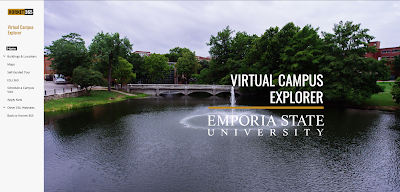
Since this summer, we have been mapping out buildings on campus to further provide directions for students, faculty, staff and visitors. You can find them right now on Hornet 365 —Virtual Campus Explorer.


Virtual Campus Explorer Home Page
On Virtual Campus Explorer, you can select Buildings and Locations from the drop down. This will display a list of all the buildings on campus.

Memorial Union Virtual Campus Explorer Page


Memorial Union First Floor Page

These maps have numbered rooms, and are color coded which indicates what type of room it is. This makes it much easier for you to find the room(s) that you are looking for.


Also, you can find these maps that we have created on our interactive digital signs called Hornet TV. They all provide the campus map, parking maps, and the map of every floor in which the digital sign is stationed in.


Digital Sign IT Map


Kaleb Barber
Student Web Developer
Web and Digital Strategies

Thursday, August 22, 2019

The NEW Newsstand!

Newsstand, Hornet 365's digital publications hub, has gone through some serious updates since last mentioned! We now host 9 publications on Newsstand, and it is growing fast! Two of our newest publication additions have been the Hornet Connect Program Guide and the Student Technology Guide. Everyone has the option to flip through the publication on the website itself, or choose to download the publication as a PDF. We have also simplified the process to be showcased on Newsstand by adding a submission form.

Interested in reading publications that Emporia State University departments, student groups, and faculty have to offer? Do you have a publication to share with the rest of campus? Check out Newsstand on Hornet 365!


Sam Derksen
Web Developer
Web and Digital Strategies

IT Only Takes a Minute - Welcome Back Fall 2019

This week, Emporia State welcomed new and returning students to the start of the Fall 2019 semester.  Each year, we share all of the great new and updated services available to ESU students.  The following highlights are only a few of these new things!

SkyPrint PLUS + Credit.   You'll notice some of the SkyPrint release stations have a new look this year.  These new multi-function units, called SkyPrint PLUS, now include the ability to scan and copy, as well as print.  Also, you can set up fast login using your Hornet Card.  This means you only need to tap your card in order to release your jobs.  Find more info, including all of our SkyPrint locations from Hornet 365's TechSite.  All ESU students get $8 worth of free prints, which you'll find freshly loaded to your account!  Learn More
 
Hornet TV.  Look for a newly redesigned 24 x 7 livestream with even more new content from across campus, plus check out the interactive digital signs!  We've been busy mapping out floors, finding rooms and building staff directories for every building with an interactive sign.  And the best feature, scan the QR code on the sign to download a copy of the sign's content to your smartphone! Watch Now
 
Office + Symantec.  All ESU students and employees get Microsoft Office and Symantec Anti-Virus free to install on your personal devices!  Students, make sure to log in with username@emporia.edu, DON'T use "g.emporia.edu".  Click the Downloads tile from Hornet365!
 
Hornet 365.  The new portal is live!  With the help of users all across campus, we built a next generation portal to bring the ESU experience to one central location!  And now it's even easier to get to--just go to HORNET365.COM!  Dont' forget to send us your feedback and look for more enhancements in the days ahead!
 
Virtual Campus Explorer.  Are you new to campus?  Or maybe you're just an explorer at heart!  Now, you can explore the ESU campus with our new Virtual Campus Explorer.  In addition to campus maps and building info, we've also started creating 360 degree experiences of interesting spaces across campus, Check back as we add even more as the semester progresses!   View Virtual Campus Explorer

A Strange Thing happened on the way to class...  Not really, but you might discover something both interesting and informative as we launch the IT + Information Security fall campaign with this year's "Stranger Things"-inspired theme.  Debuting at tonight's block party, we'll have a digital guidebook, free giveaways and the chance to win a bluetooth speaker!  Start exploring now by visiting emporia.edu/strange!

Good luck from ESU Information Technology!

Posted by Brian Osbourn, Director, Web + Digital

Sunday, April 28, 2019

IT Hosts Hornet 365 Event and Promo Campaign

IT table for Hornet 365 event
The month of April saw a major marketing push to promote the new Hornet 365 university portal and digital platform.  The ESU Web & Digital Strategies team hosted a tabling event in the Memorial Union this past week to bring awareness directly to students.  In addition to meeting around 200 students, we were able to demo Hornet 365, answer questions and hand out custom t-shirts and mugs.  The month's campaign featured the IT Robot, a character created for the marketing initiative.  The robot appeared in short video vignettes, but made his public debut at this week's tabling event.

The campaign included weekly email updates, video vignettes, one-on-one meetings, the tabling event, digital, printed and animated posters, a project website and culminates with a digital scavenger hunt this week.  

A special Hornet 365 issue of IT Showcase, our regular publication, will be available in printed and digital editions the first week of May.

Hornet 365 is fully functional and available now at hornet.emporia.edu.  The current portal, BuzzIn, will be shutdown later this summer.

Brian Osbourn
Director, Web & Digital

Friday, April 26, 2019

New Hornet 365

A couple weeks ago we unveiled our most up-to-date version of Hornet 365. The latest version includes upgrades to accessibility, loading speeds, and even more helpful 'tiles' for each page. Every day we work on adding more content to create an even better University Portal. The feedback we have received for Hornet 365 has been helpful with a lot of great suggestions that we've been able to immediately add to the site. We thrive on the feedback because that is our best way to satisfy our audience, you. Within the first seven days of launch, Hornet 365 had over 10,000 pageviews! This is great to see as this University Portal will be the easiest way to find any online service that the university provides. We're very happy with the results thus far, but we are always looking to improve our services. Head over to hornet.emporia.edu to check it out and leave feedback!


Sam Derksen
Web Developer
Web and Digital Strategies

Friday, March 8, 2019

Office 365: Planner


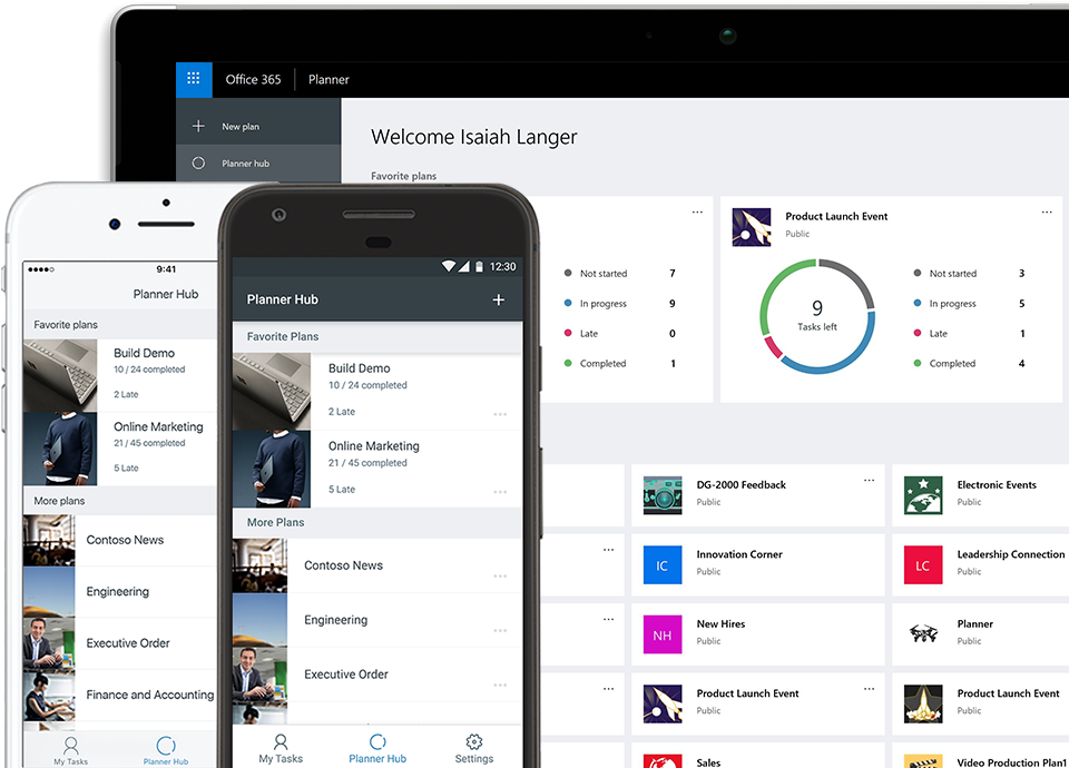
A great service that Office 365 offers to Emporia State's employees is Planner. Planner is a service that allows you, and others, to stay organized on projects. You can have projects for yourself and also projects with a group of people. Planner allows you to sync your projects to your Outlook calendar so you are always aware of your progress and the project’s deadline. Planner will also give you detailed statistics on how your projects have been going, how many you have completed, and how many you have not started. This application is a great way to stay on top of your ongoing projects and is offered to you through Hornet 365.


Sam Derksen
Web Developer
Web and Digital Strategies

Wednesday, September 5, 2018

Biology Department: New Hornet TV Sign!

The IT department partnered with the department of Biology to set up a new Hornet TV digital sign outside of their office. This sign will be displaying their own department's content as well as campus content. Keep a lookout for this new added feature to our university.


Sam Derksen
Student Web Developer
Web and Digital Strategies

Sunday, August 26, 2018

Welcome to the Fall 2018 Semester!

We hope your first week of the Fall 2018 semester is off to a great start!


Here are a few things we thought you should know:

  • The student printing system is called SkyPrint.  You get $8 (or 100 pages) for free!  You submit your print jobs over the web and release them at SkyPrint station in most of the campus buildings.
     
  • Need a place to store your files?  Use OneDrive!  You get 1 TB of space and you can access and share your files on any device!
     
  • Get Microsoft Office for free!
     
  • Want to see ESU videos?  Check out Hornet TV on displays across campus and on the web! (and preview our web series below!)
     
  • All of this and much more can be found in ESU's new portal--HORNET 365!  Go to hornet.emporia.edu on any device to get started!

Good luck and stay connected with us!  See our social media links below or contact us at the IT Help Desk!

In Person: Cremer Hall 149
Phone: (877) 341-5555
Email: helpdesk@emporia.edu


-Brian Osbourn, Director, Web & Digital Strategies

#MyHornet365

#myhornet365
If you're looking for more details on the new Hornet 365, Hornet TV or any of the new IT services, follow us on social media and look for the hashtag MyHornet365.  In addition to first looks and previews, we'll post some exclusive content here--including some fun stuff, too!

#MyHornet365

Facebook - facebook.com/EmporiaStateUniversityHelpdesk
Instagram - EmporiaStateIT
Snapchat - EmporiaStateIT
Twitter - @emporiastateIT

-Brian Osbourn, Director, Web & Digital Strategies

Introducing the new Hornet 365

Hornet 365 homepageThis past week, visitors to hornet.emporia.edu, aka the gateway to Hornet 365 services, saw a visual upgrade.  This first step moves us closer to the ultimate goals of Hornet 365 to become the next generation portal for all ESU digital services.

What about Buzz In?

The current portal, Buzz In, will be retired in the coming months, but will continue to be operational while we work to add new content and features to Hornet 365.

If YOU build it...

That's right, we want you as a student, faculty, staff or guest of ESU to help us build it!  Give us your feedback (you'll see a fancy new button on hornet.emporia.edu) to fill out a short form.  Because the new 365 will run in parallel with Buzz In, we're taking the unique opportunity to work collaboratively with groups across campus to help make Hornet 365 better throughout the fall 2018 semester!

What's New?

Hornet 365 has a lot going on under the hood, not least of which is the fact that the authenticated sites (or the parts you DO have to log in to) are powered by Office 365.  In addition to FREE Microsoft Office, there are many different services.  We'll cover those in future posts, but here are just a few of the new things that are live now:

Hornet Sites - These sites are just like a public website, but you need an ESU userid and password to access them.

g365 - A special service for group emails, sharing files, a team collaboration space, integration with Microsoft Teams and more!

w365 - A place for sharing files with your department, committee or standing group.  Just files here, plus it integrates with OneDrive!

OneDrive - Okay, this one isn't new, but there is a feature that is--the ability to intelligently synchronize files to your computer.  The OneDrive client is able to determine which files you're using and which one's you're not and only sync the one's you've used recently.  All of your files still live in the cloud and are there whenever you need them.  This saves on disk space and bandwidth.  Right now, this feature is exclusive to Windows.  OneDrive gives every ESU student, faculty and staff member 1 TB of file storage space that you can access via Windows/Mac file explorers, web browsers and your Apple/Android mobile device.

Hornet Spaces - this is a new ESU service, or collection of services showing you all of the various maps of ESU.  From a details overhead map to a Street View-style 360 service that gives you the ability to virtually walk throughout the entire campus, we've got them all in one place.  Plus, don't miss our new site about campus computer labs currently being beta-tested.

Newsstand - Have you ever needed to share a file or document in a way that makes it pleasant to read?  Would you like to share it with the public or even embed it into another website?  PDF's are boring--why not add some interactive features to your documents?  Those are just some of the things that we've made available with the new service called Newsstand.  Powered by the popular web service Issuu, Newsstand is available to any ESU department, recognized student group, etc. at no cost.

These are just a sampling of some of the great new things that are coming to Hornet 365!  Stay tuned to the blog and our social media for more coverage of the services we've mentioned here and even more in the future!

#MyHornet365

-Brian Osbourn, Director, Web and Digital Strategies