Showing posts with label Web & Digital. Show all posts

Friday, May 1, 2020

Website Updates

Emporia.edu homepage screenshotThe Emporia State University website has come a long way since the launch of the new site in late October. We are constantly looking for improvements to implement based on usability information, analytics and feedback from our users.

One of the biggest issues with websites, and web content, nowadays is accessibility. We have been focused on updating our website to make it accessible to all users, no matter their device or browser. We are proud to say that our website is currently ranked #1, in terms of accessibility, in the state of Kansas by an external reviewer. We have updated all images to include alternative text, added metadata to each page so search engines can better optimize which pages display, icons displaying an error, and more.

Another hot topic would be the user experience, or feel, of our website. We have made nine site-wide updates to make navigation through our site as natural as possible. In addition to site-wide updates, we have completed over 800 feedback requests from our 77 departmental WebDACs. We work closely with our departmental WebDACs to ensure that each department's content is correct, updated, and fresh. We have recently created a new WebDAC Portal that allows for more feedback from our web team to WebDACs and allows for better tracking per request. Before the web team moved to work remotely due to COVID-19, we had been scheduling weekly meetings with various WebDACs to receive feedback and run through their pages together. We will soon start this back up again as time allows.

In addition to being highly involved with our WebDACs, we are also working towards expanding our involvement with faculty, staff, and students! Faculty and student focused meetings are taking place to receive more feedback on the website, not just from our internal web team and WebDACs. We want to have a website where all entities of the university are comfortable, and happy, using!

Check out a list of the site-wide updates that we’ve made, and updates that are on our radar for the future, on our Web + Digital Guide! You can also learn more about our WebDAC program, and find a list of WebDACs, on our WebDAC page.

Sam Derksen
Web Developer
Web and Digital Strategies

Thursday, April 23, 2020

Google World

Google G imageIf there's one thing I know, I know that we all know the word 'Google'. Generally, people know Google for its search engine which is widely used across the nation and the world. What many people don't know is the vast amount of services that Google provides us! I would like to cover some of those services and how we utilize them at Emporia State.

  • Google Sites - Hornet 365, and all of our Hornet Sites, are built using Google Sites. Google Sites are an easy-to-use site-builder that guarantees accessibility while also giving you customization. Google Sites also features YouTube video plugins, Google Analytics integration, and the ability to make them private or public. We've really enjoyed using Google Sites as it allows for a clean designed website in a short amount of time. We can also turn over Hornet Sites to their respective departmental owners and the feedback has been excellent - it's easy to use! Another excellent feature of Google Sites is that it allows you to duplicate the site at any given time, which can be used for backups in the future!

  • Google Analytics - Emporia State University utilizes Google Analytics with all of our major sites. Google Analytics allows for real-time analytical data about the audience of your websites. It can break the data down into geographical, demographical, and even technological units. For example, we can see what percentage of our users are using Chrome browser on our website and where our users are from.

  • Google Drive - Google offers G Suite for Education tenants unlimited storage for Google Drive. This is possibly one of the best offers that current students will come across. Many cloud storage providers charge people for a certain amount of storage, so to have a Google Drive with unlimited storage is amazing. Utilize this offer by selecting Google Drive in the Google Apps tab while logged into your student email account!

This is only a glimpse of what Google offers us at Emporia State University. If you'd like to check out all of the services that Google provides, just sign into your student email account and check out all of the Google Apps that are available to you!

Sam Derksen
Web Developer
Web and Digital Strategies

Friday, April 3, 2020

Keeping Yourself Entertained in the Time of Coronavirus

The coronavirus has impacted everyone from business owners and families to students. I'm sure we've all seen the memes/videos about how bored people have gotten during these times, but that's no reason to worry. I am going to share some of the best entertainment sources you can take advantage of during this pandemic!

As a student, you are given 6 months free Amazon Prime by signing up with your @g.emporia.edu account. Amazon Prime offers many things free with its subscription such as movies, TV shows, books, and discounts on select products! Follow this link to learn how to activate your trial and see some of its benefits!

Quibi Promo imageA new streaming service, Quibi, is offering a 90 day free trial after they launch this April 6th. Quibi is an interesting concept because they will be offering original, new, TV shows... but the episodes will be 10 minutes or less in duration. This is an excellent platform for short study breaks or to simply invest less time per episode during your content binges!


Netflix is one of the most popular streaming platforms nowadays, and because of that, I am going to give you all my top 3 series to watch!
    Altered Carbon poster
  1. Ozark - Ozark is a Netflix original series that follows a financial advisor, and his family, as they try to keep their best to deal with money laundering issues. There are three seasons out already, and I expect there to be at least one more in the future.
  2. Altered Carbon - Altered Carbon is also a Netflix original series that follows Takeshi Kovacs, an elite soldier in a futuristic world. It's incredibly interesting to watch and learn how their world is. There are two seasons out already, and I would expect more in the future!
  3. Money Heist - Money Heist is also a Netflix original series that follows a group of criminals and their plan to rob the Royal Mint of Spain. It's action packed with a lot of clever moments. There are four seasons out, which includes the fourth season which came out TODAY, April 3!

Hopefully some of these suggestions can give you some entertainment in this time!

Sam Derksen
Web Developer
Web and Digital Strategies

Friday, March 27, 2020

New Apple Products

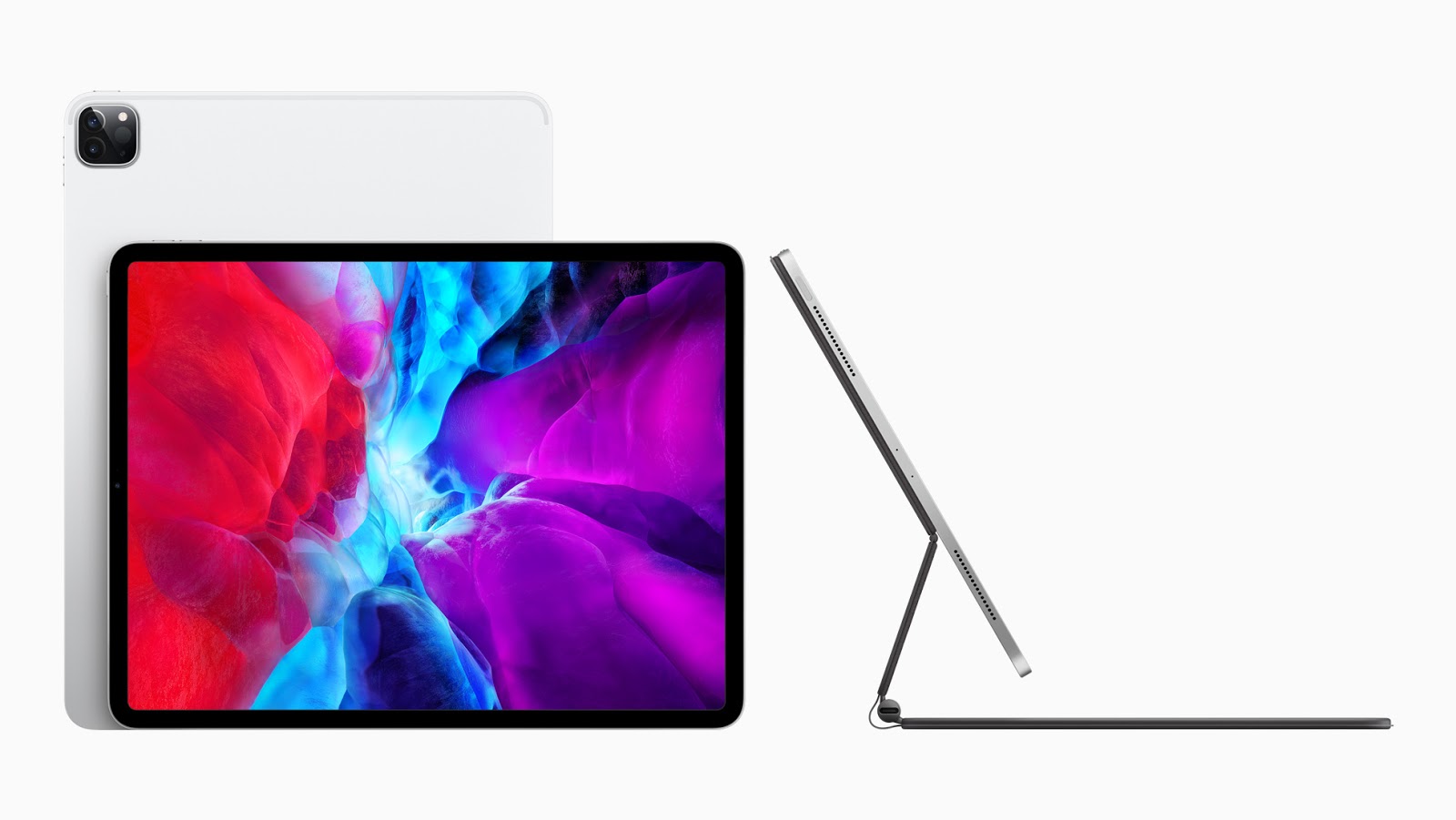
Apple iPad Pro 2020In the midst of this crisis, Apple managed to release the new iPad Pro. One could argue that there couldn't be a better time due to many educational institutions moving their classes to an online platform. iPads are becoming more and more similar to your traditional laptops with enhancements that allow you to do most things that you could do on a Windows or Mac laptop. The new iPad Pro boasts an A12Z bionic chip, which is slightly better than the A12X chip included in the last version of the iPad Pro. This means that this iPad will run all of the software you would need for school flawlessly.

Along with the introduction of the new iPad, Apple released a new 'Magic Keyboard' to go hand-in-hand with it. The Magic Keyboard seems magic, because your iPad magnetically connects to the stand and 'floats' while being able to type. Along with this cool feature, the Magic Keyboard also includes a trackpad, making the iPad seem like a traditional laptop.


Sam Derksen
Web Developer
Web and Digital Strategies

Tuesday, March 17, 2020

Tips For Online Collaboration

Are you all ready for all of your classes to be transitioned to an online setting? Hopefully your years of exposure to technology has you feeling confident, but if not, no need to worry! The Information Technology department at ESU has been putting together resources to simplify this situation as much as possible. Follow this link to the 'Learn Anywhere' site to view all of the resources that we have gathered for you.

While the 'Learn Anywhere' site has a lot of information, I personally wanted to give you some opinions on how to best collaborate with fellow students on group assignments or projects. Two of my favorite options are...

  • Google Meet
    • This is one of the most popular video communication tools used in the world. It integrates with your Student G Suite account, making it easy to search and invite classmates to your call. It also allows users to dial-in to the call with their personal phone! This makes it one of the most accessible platforms to use for collaboration.
  • Zoom
    • A world-wide favorite, Zoom is used for video conferencing and meetings. During this situation, Zoom has allowed all users to have unlimited time usage for their calls. This means that you are no longer limited by the 40 minute 'lite version'. This ensures that you and your classmates can collaborate for as long as it takes to finish the assignment!

Most importantly... Communicate!

Communicate with your classmates and figure out what works best for you all! This is an excellent opportunity to learn different methods of collaborating virtually. Make the best of the situation!

If you still having any questions or concerns, please visit the ESU Coronavirus Information page.

Sam Derksen
Web Developer
Web and Digital Strategies
Friday, January 17, 2020

Two-Factor Authentication

Welcome back to campus, Hornets!

Today's topic will be about two-factor authentication, an amazing security feature that is becoming more prevalent in everyday life. Did you know that, according to this this linked article, 87% of those classified as 'Gen Z' reuse the same password? That means that well over half of the campus, more than likely, uses the same password for their school/work email account and their personal email account. Tisk tisk tisk. We always recommend altering your passwords for each account to decrease the likelihood of a breach, but this is where two-factor authentication comes into play to greatly increases your online security.

For example, I have set up two-factor authentication for my student email account with my mobile phone. Anytime I sign into my student email address from an unrecognized computer or device, I receive a prompt on my phone asking if that was truly me. I cannot access any emails, files, etc. if I do not tell my phone 'yes, that was me'. This means that even in the chance of an account breach, I would have an extra layer of protection. More importantly, this extra layer of protection is physically on me almost 24/7. This greatly decreases the chances of a breach, and increases the chances that my private emails and files are protected. This is extremely important for you if you take advantage of your G Suite account's unlimited Google Drive. Don't know how to set up two-factor authentication with your student email account? Follow this link to learn how to set up two-factor authentication and find more information.

Stay safe and good luck this semester!

Sam Derksen
Web Developer
Web and Digital Strategies

Tuesday, December 3, 2019

Google Keep - Note Taking

How nice would it be if we were offered a service that would help take notes? How awesome would it be if that service was linked to an email account that has unlimited cloud storage? Well, folks, that time is here. Be sure to download Google Keep, or use it in your browser, to help organize your academic life! Google Keep allows you to create specific labels to help you organize, allows you to add handwritten notes (with supported accessories), add images to notes, share your notes with others, record audio for your note, and more. All of these notes and their attachments are stored in your Google Drive, which has unlimited cloud storage due to us being in higher education!

Be sure to utilize these amazing features that Google gives Emporia State University students. Follow this link to learn more about Google Keep.

Sam Derksen
Web Developer
Web and Digital Strategies

Friday, September 6, 2019

Web Presence Update!

Web Presence Projects screenshotAs the Fall semester is in full-go, I am sure many of those here at Emporia State are wondering... What is going on with the websites? Luckily, we provide a web page, Web Presence Projects, that provides information on Hornet 365 and our public website. Examples of information provided are timelines, future enhancements, progress pages, and much more. We're very excited that Hornet 365 had a successful launch, and we are excited to launch the public website!

Don't forget to provide any feedback on our website by using this form. This helps us determine what you all want and helps us fix any bugs/issues. Good luck this semester, pay attention to the coming changes to Emporia State's web presence, and Stingers Up!

Sam Derksen
Web Developer
Web and Digital Strategies

Friday, August 30, 2019

SkyPrint PLUS - Copy, Scan and Print


Printer
We've got all New SkyPrint PLUS Stations throughout campus. 

You can now use the same printer for both your Black/White and Color printing needs. 

Need to copy documents? You now can from the same station! 

To make it even better, you can now scan documents and send it to your Email, OneDrive or Google Drive, all from the same SkyPrint Plus Station!


To sign into your account, use the built-in keyboard on the printers. 


OR 

If you're ready to 'tap and go', set up fast login and start using your Hornet Card for a quick, easy and secure way to login into SkyPrint.


Rest assured, the quality of prints are now twice as good.

SkyPrint Plus Logo

If you're having troubles, be sure to read the instruction manuals attached to the printer.

Find more info, including all of our SkyPrint locations from Hornet 365's TechSite
SkyPrint Plus Station
Hornet Card Scanner


Saandhyarag Sasidhar
Student Operations Manager
Web and Digital Strategies

A New Way to Experience Campus

Building Maps & Locations


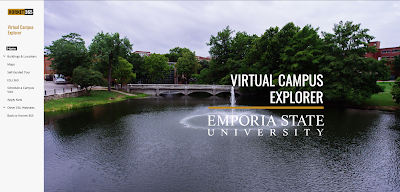
Since this summer, we have been mapping out buildings on campus to further provide directions for students, faculty, staff and visitors. You can find them right now on Hornet 365 —Virtual Campus Explorer.


Virtual Campus Explorer Home Page
On Virtual Campus Explorer, you can select Buildings and Locations from the drop down. This will display a list of all the buildings on campus.

Memorial Union Virtual Campus Explorer Page


Memorial Union First Floor Page

These maps have numbered rooms, and are color coded which indicates what type of room it is. This makes it much easier for you to find the room(s) that you are looking for.


Also, you can find these maps that we have created on our interactive digital signs called Hornet TV. They all provide the campus map, parking maps, and the map of every floor in which the digital sign is stationed in.


Digital Sign IT Map


Kaleb Barber
Student Web Developer
Web and Digital Strategies

Thursday, August 22, 2019

IT Only Takes a Minute - Welcome Back Fall 2019

This week, Emporia State welcomed new and returning students to the start of the Fall 2019 semester.  Each year, we share all of the great new and updated services available to ESU students.  The following highlights are only a few of these new things!

SkyPrint PLUS + Credit.   You'll notice some of the SkyPrint release stations have a new look this year.  These new multi-function units, called SkyPrint PLUS, now include the ability to scan and copy, as well as print.  Also, you can set up fast login using your Hornet Card.  This means you only need to tap your card in order to release your jobs.  Find more info, including all of our SkyPrint locations from Hornet 365's TechSite.  All ESU students get $8 worth of free prints, which you'll find freshly loaded to your account!  Learn More
 
Hornet TV.  Look for a newly redesigned 24 x 7 livestream with even more new content from across campus, plus check out the interactive digital signs!  We've been busy mapping out floors, finding rooms and building staff directories for every building with an interactive sign.  And the best feature, scan the QR code on the sign to download a copy of the sign's content to your smartphone! Watch Now
 
Office + Symantec.  All ESU students and employees get Microsoft Office and Symantec Anti-Virus free to install on your personal devices!  Students, make sure to log in with username@emporia.edu, DON'T use "g.emporia.edu".  Click the Downloads tile from Hornet365!
 
Hornet 365.  The new portal is live!  With the help of users all across campus, we built a next generation portal to bring the ESU experience to one central location!  And now it's even easier to get to--just go to HORNET365.COM!  Dont' forget to send us your feedback and look for more enhancements in the days ahead!
 
Virtual Campus Explorer.  Are you new to campus?  Or maybe you're just an explorer at heart!  Now, you can explore the ESU campus with our new Virtual Campus Explorer.  In addition to campus maps and building info, we've also started creating 360 degree experiences of interesting spaces across campus, Check back as we add even more as the semester progresses!   View Virtual Campus Explorer

A Strange Thing happened on the way to class...  Not really, but you might discover something both interesting and informative as we launch the IT + Information Security fall campaign with this year's "Stranger Things"-inspired theme.  Debuting at tonight's block party, we'll have a digital guidebook, free giveaways and the chance to win a bluetooth speaker!  Start exploring now by visiting emporia.edu/strange!

Good luck from ESU Information Technology!

Posted by Brian Osbourn, Director, Web + Digital

Sunday, April 28, 2019

IT Hosts Hornet 365 Event and Promo Campaign

IT table for Hornet 365 event
The month of April saw a major marketing push to promote the new Hornet 365 university portal and digital platform.  The ESU Web & Digital Strategies team hosted a tabling event in the Memorial Union this past week to bring awareness directly to students.  In addition to meeting around 200 students, we were able to demo Hornet 365, answer questions and hand out custom t-shirts and mugs.  The month's campaign featured the IT Robot, a character created for the marketing initiative.  The robot appeared in short video vignettes, but made his public debut at this week's tabling event.

The campaign included weekly email updates, video vignettes, one-on-one meetings, the tabling event, digital, printed and animated posters, a project website and culminates with a digital scavenger hunt this week.  

A special Hornet 365 issue of IT Showcase, our regular publication, will be available in printed and digital editions the first week of May.

Hornet 365 is fully functional and available now at hornet.emporia.edu.  The current portal, BuzzIn, will be shutdown later this summer.

Brian Osbourn
Director, Web & Digital